顯示具有 DK 標籤的文章。 顯示所有文章

2023年8月13日 星期日

讓Nordic’s nRF52840 DK 成功偵測到 Raytac MDBT50Q-DB-40開發板

什麼Nordic 的DK 無法檢測到Raytac的模組?

以下是修復這個問題的一些建議:

Nordic的開發板編號 : PCA10056 (nRF52840)


Raytac的開發板編號 : MDBT50Q-DB-40 (nRF52840)


1. 從以下連結更新nRF command line tools的版本:
https://www.nordicsemi.com/Products/Development-tools/nRF-Command-Line-Tools/Download?lang=en#infotabs


2. 從以下連結更新jlink driver的版本:
https://www.segger.com/downloads/jlink/JLink_Windows_V780c_x86_64.exe

3. 更新nRF Connect for Desktop的版本。
使用nRF connect for desktop V4.1.2,programmer V3.0.9


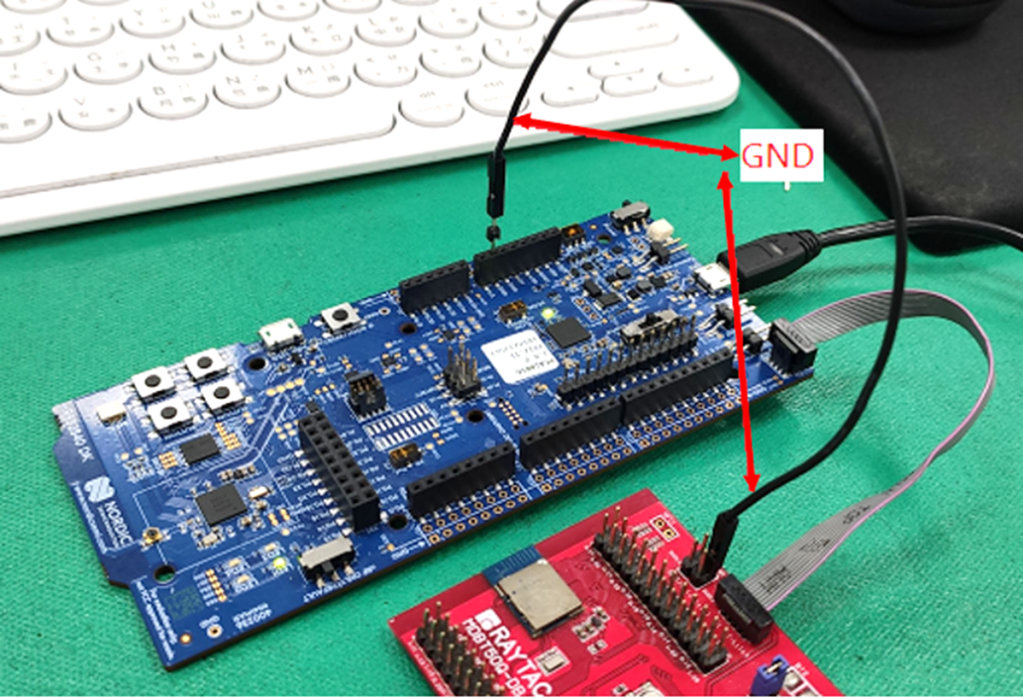
4. 添加一根跳線線,如下圖所示的紅色箭頭,以避免這兩個板之間的不同電源參考。

5. 確保IDE電纜正確連接。IDE電纜的紅色邊緣應分別連接到兩個開發板的PIN 1。
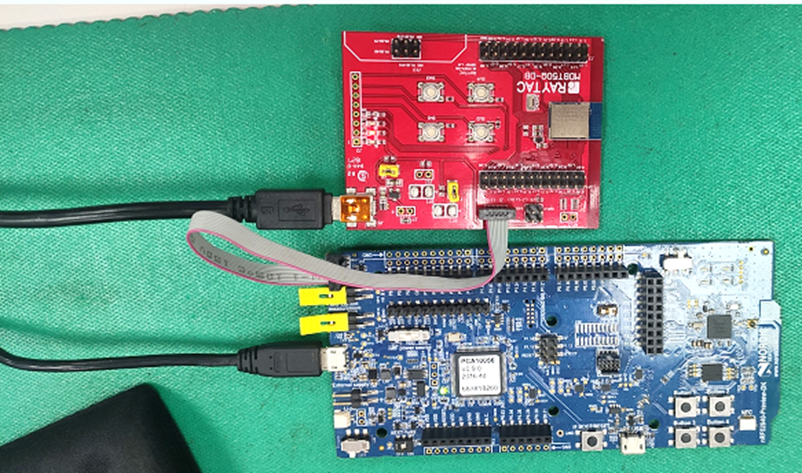

6. 在燒錄之前,先將電源供應連接到Raytac的示範板的VDD。


Edited by Sales Manager: Ms. Gracie Chuang

Raytac Corporation 勁達國際電子股份有限公司

A Bluetooth & WiFi Module maker based on Nordic solution. 

BT5.3 & BT5.2 & BT5.1 Qualified, FCC/IC/CE/Telec/KC/RCM/SRRC/NCC Pre-Certified.

(nRF54 & nRF5340 & nRF52840 & nRF52833 & nRF52832 & nRF52820 & nRF52811 & nRF52810 & nRF52805 & nRF7002)
http://www.raytac.com email: service@raytac.com Tel: +886.2.3234.0208

2018年5月21日 星期一

AT-Command Module Tutorial ~ About First Time Connect To The DK

Raytac would like to remind following external MCU setting for first time connection with AT command DK Board.

1. Baud Rate: Default setting is 9600 without Flow Control
2. UART PD default setting is "Low"
   *a. MCU output set as "Low" to connect the DK Board
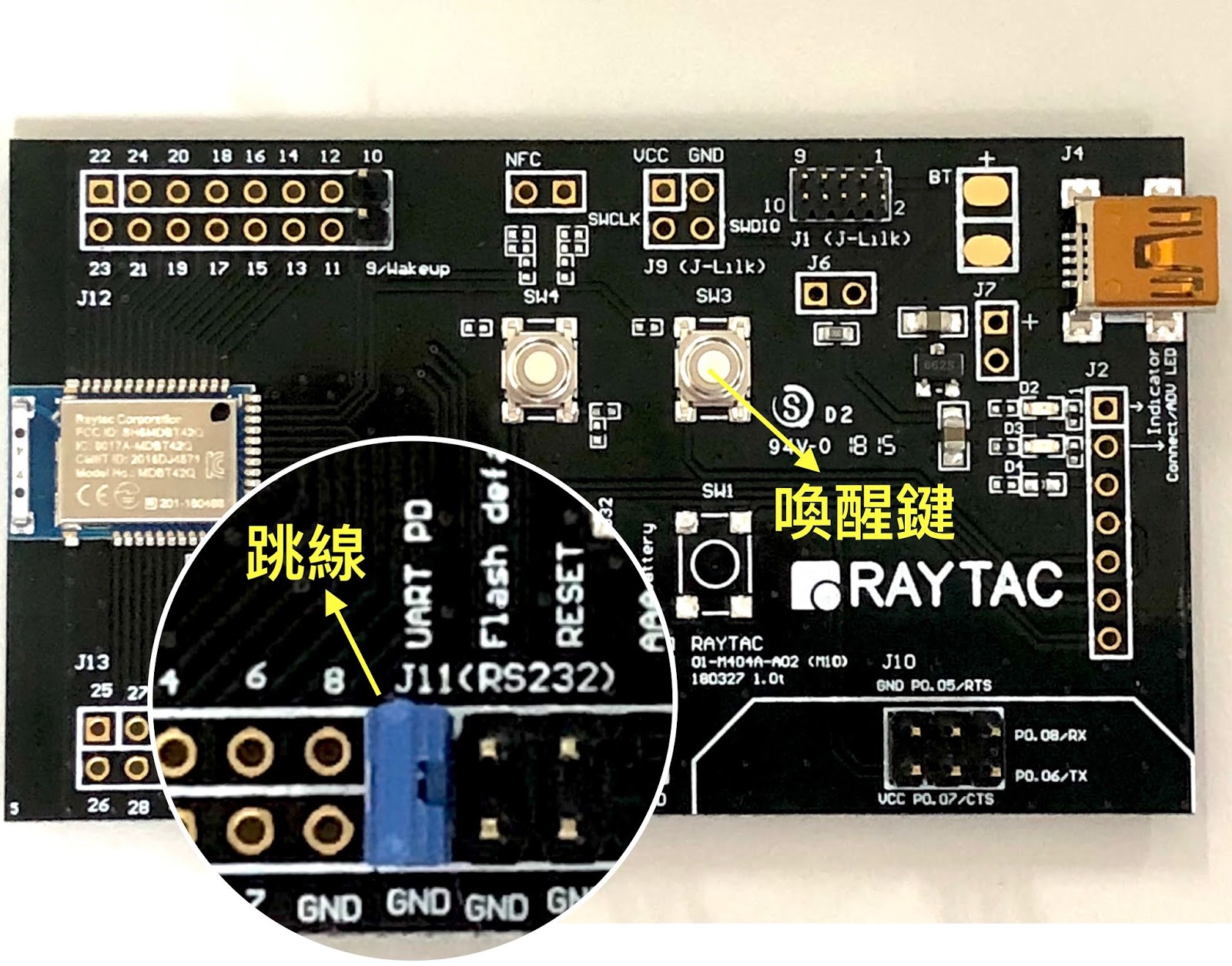
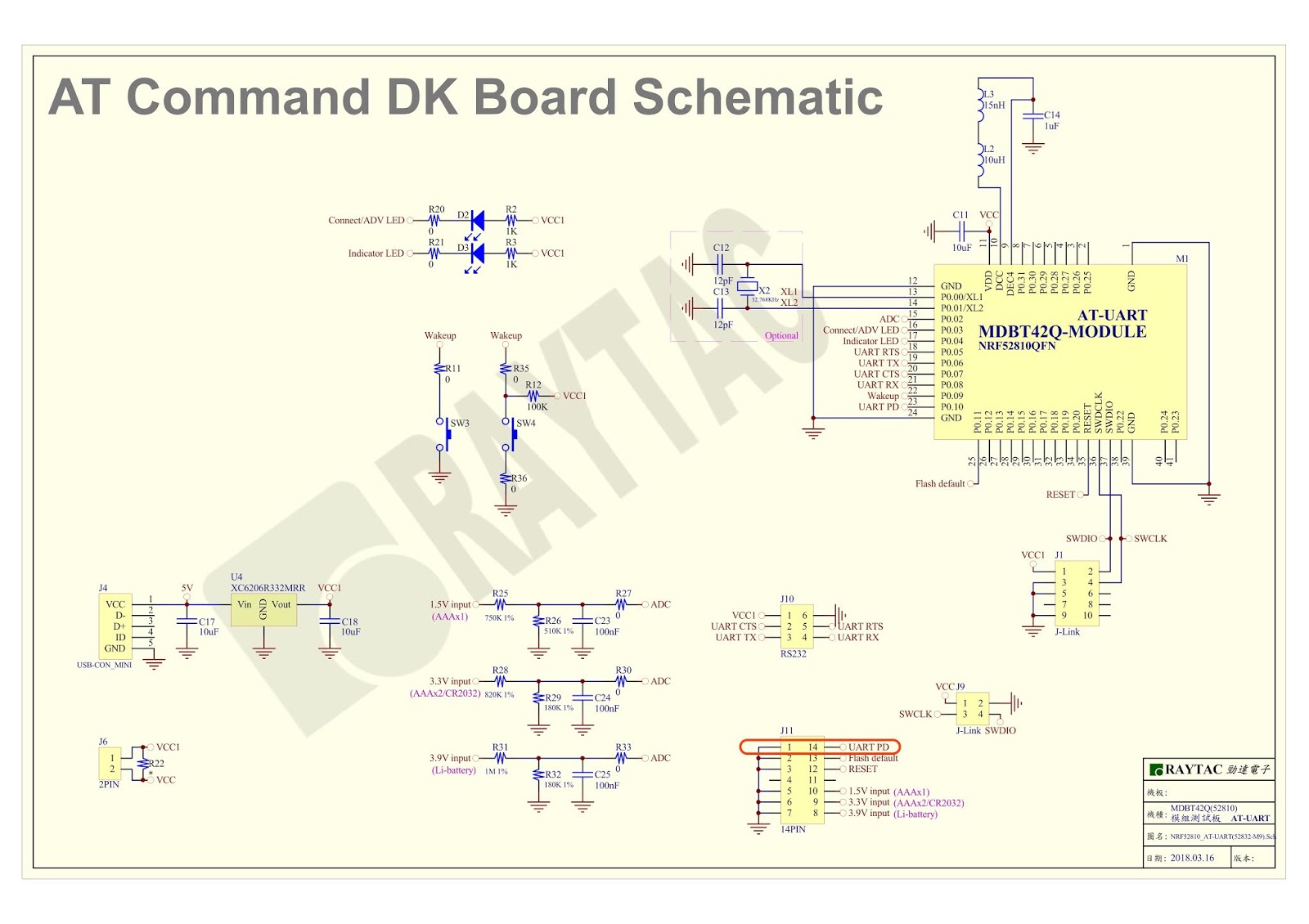
   *b. If MCU can not set up output "Low", please use jumper to connect UART PD                 onto DK board to stay in "Low" (please refer to below pictures)
3. AT Command edit can only be committed under the DK boards is "No-Bonded" (Not Paired),
4. DK default broadcasting set as 30 sec and then enter to sleep mode. Developers can press wake up button to restart the broadcasting!


Provide the AT Command initial default setting as in below
(Pls refer to Spec Sheet Page 8 for more detail


Raytac Corporation 勁達國際電子有限公司
A BT 5 & BT 4.2 & BT 4.1 module maker based on Nordic nRF51 & nRF52 solution 
(nRF51822 & nRF51422 & nRF52832 & nRF52810 & nRF52840)
www.raytac.com          email: cs@raytac.com          Tel: +886.2.3234.0208

AT-Command 模組使用教學~初次外部MCU連接AT指令開發板注意事項

近來很多開發者反應在初次使用AT指令開發板時, 發現並無法順利動作!
勁達國際電子(Raytac Corporation)建議所有開發者在初次使用開發板時, 請再次確認外部MCU設定已完成以下注意事項, 以順利完成第一次與開發板的連接!

1. Baud Rate 初始設定為9600 (無Flow Control)
2. UART PD初始設定為low
   *a. 方法一: MCU輸出low連接開發板
   *b. 方法二:若MCU無法輸出low, 請在開發板的UART PD 以Jump固定拉low (請參照下圖)
3. 執行編譯AT 指令都需要在斷線狀態
4. DK 原始設定斷線時間為30秒, 之後即進入Sleep mode;  若工作未能於30秒內完成, 可以按一下喚醒鍵重新喚醒開發板!


附上AT Command 開發板初始設定(Default)表格如下
(詳情請參照規格書第8頁)


Raytac Corporation 勁達國際電子有限公司
A BT 5 & BT 4.2 & BT 4.1 module maker based on Nordic nRF51 & nRF52 solution 
(nRF51822 & nRF51422 & nRF52832 & nRF52810 & nRF52840)
www.raytac.com          email: cs@raytac.com          Tel: +886.2.3234.0208

2018年3月15日 星期四

Nordic nRF51 DK / nRF52 DK / nRF52840 DK哪裡買?

很多開發者進行開發的時候, 最常也是最一開始遇到的問題就是“開發工具哪裡買?“
為了提供開發者一個快速取得開發工具的管道
勁達國際電子委由電商代理均士達科技有限公司在露天拍賣與Yahoo拍賣成立賣場
希望藉由一個簡單快速的方式讓開發者可以迅速取得工具
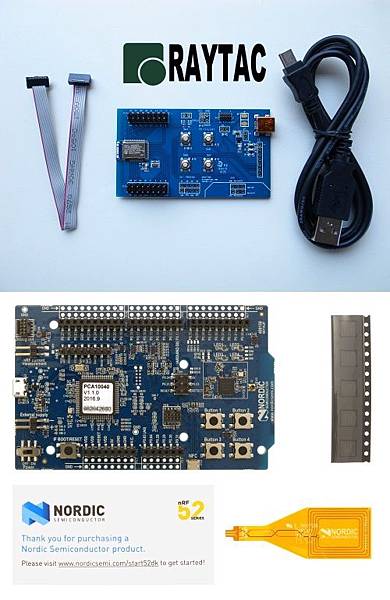
均士達科技不僅提供Nordic原廠的DK, 更提供Nordic DK + Raytac Combo的開發工具販賣
希望藉由快速簡單的媒介能幫助開發者能快速實現在模組上

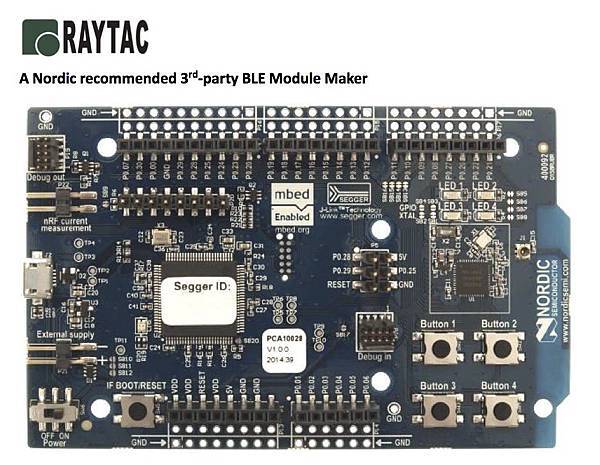
Nordic nRF52840 開發板


露天賣場(請點我)


Nordic nRF52840 Solution MDBT50Q開發板


露天賣場(請點我)


Nordic nRF52 開發板

nRF52 DK.jpg


Nordic nRF52 DK+Raytac DB
MDBT42Q DK Package +nRF52 DK.jpg


Nordic nRF51 DK
nRF51 DK-demo.jpg

Nordic nRF51 DK+ Raytac DB
MDBT40 DK+nRF51 DK.jpg

Raytac Corporation 勁達國際電子有限公司
A BT 5 & BT 4.2 & BT 4.1 module maker based on Nordic nRF51 & nRF52 solution 
(nRF51822 & nRF51422 & nRF52832 & nRF52810 & nRF52840)
www.raytac.com          email: cs@raytac.com          Tel: +886.2.3234.0208

2018年2月4日 星期日

Nordic nRF52 DK 藍牙開發工具購買

開發藍牙產品的基礎就是具備開發工具
但是, 很多開發者反應
由於對於開發工具的銷售通路不熟悉, 造成取得困難
為能提供開發者一個更方便的管道
勁達國際電子委由代理商均士達科技於露天拍賣提供以下品項的選購


藉由多元的管道與多樣性的付款與運送方式, 
希望提供開發者可以有一個更簡單的購買管道
快速進入物聯網的領域

Raytac Corporation 勁達國際電子有限公司
A BT4.1 & BT 4.2 & BT 5.0 module maker based on Nordic nRF51 & nRF52 solution 
(nRF51822 & nRF51422 & nRF52832 & nRF52810 & nRF52840)
www.raytac.com            Tel: +886.2.3234.0208
email: service@raytac.com

2016年11月2日 星期三

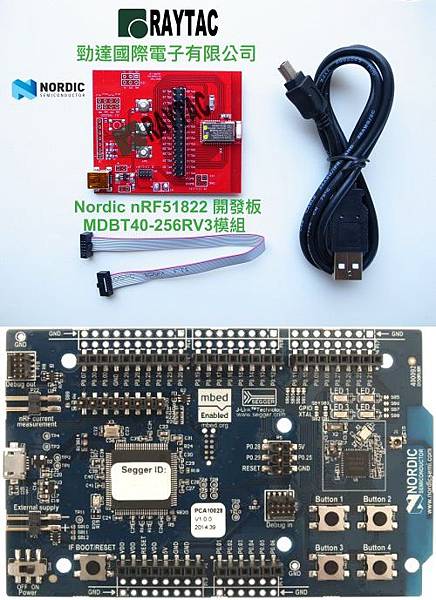
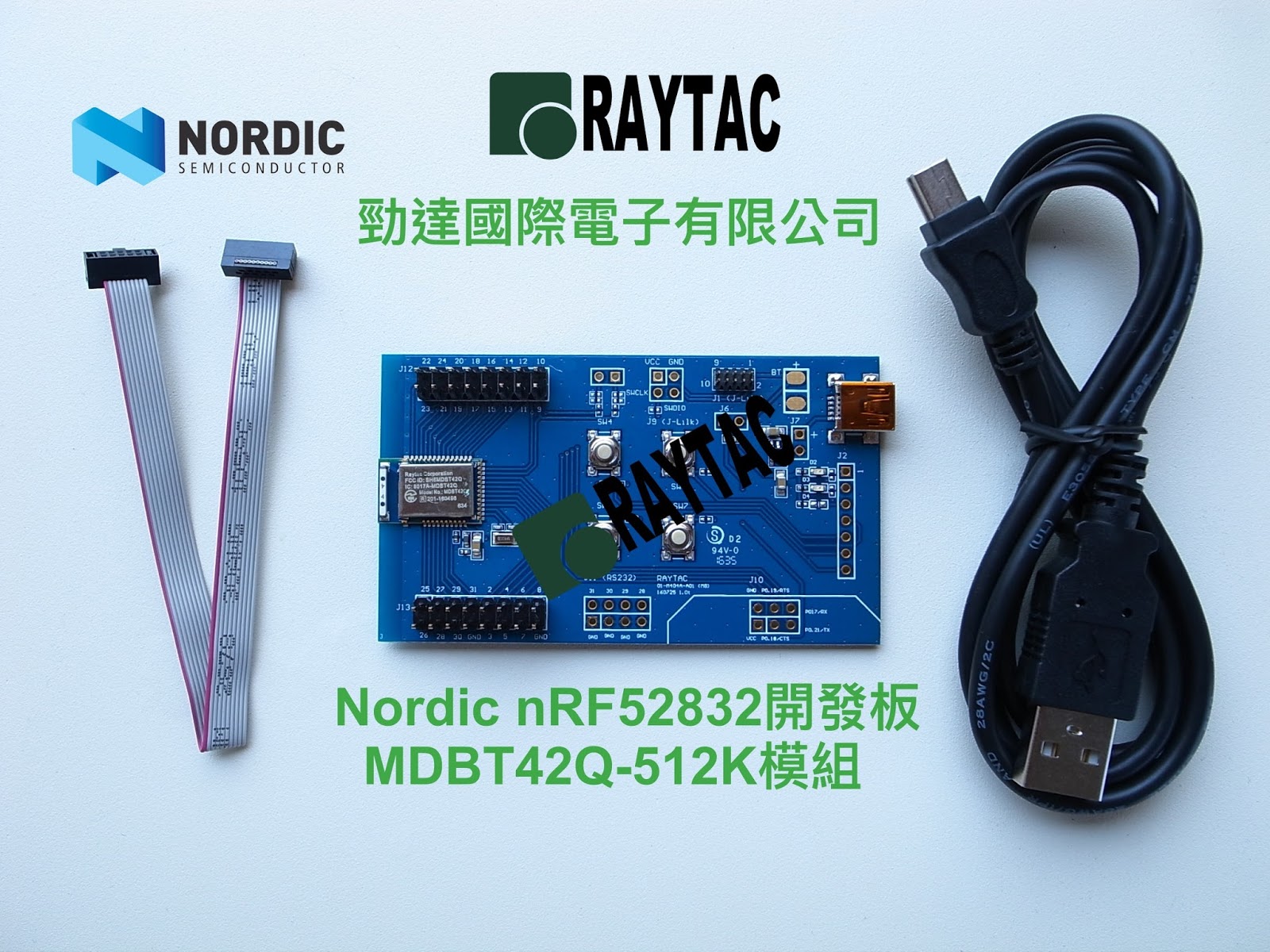
如何使用MDBT40(nRF51) 及MDBT42Q(nRF52) 開發板

很多客戶常常詢問如何使用開發版
為方便大家,特此提供簡單圖片方便大家參考

燒錄軟體 Nordic nRFgo

MDBT40 (Nordic nRF51)


開發版線路圖


MDBT42Q (Nordic nRF52)開發板


開發版線路圖

勁達國際電子低功耗藍牙模組(Nordic方案)開發工具電商銷售點
Yahoo拍賣(請點我)


Raytac Corporation 勁達國際電子有限公司
A BT 5 & BT 4.2 & BT 4.1 module maker based on Nordic nRF51 & nRF52 solution 
(nRF51822 & nRF51422 & nRF52832 & nRF52810 & nRF52840)
www.raytac.com          email: cs@raytac.com          Tel: +886.2.3234.0208